













SolGuruz Logo
Pricing

CRM Mobile App Development Services

Build a mobile CRM app your sales team can run from anywhere

SolGuruz builds custom mobile CRM systems shaped around the way your team actually sells. Whether your reps run field sales visits, on-site demos, service calls, or trade show floors, customer data, deal stages, and follow-up reminders sit two taps away on Android and iOS. Leads captured in a dead zone sync automatically the moment coverage returns. Your team gets a mobile CRM app that fits how they sell, where they work, and how fast the selling day moves.

Get Quote in 2 Minutes
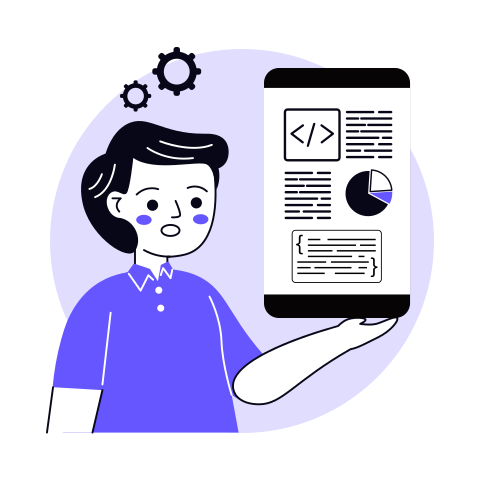
Illustration of a developer holding a phone showing code, a pie chart and a JSON snippet
  • Flexible Engagement Models
  • Strict NDA & Data Security
  • 1 Week Risk Free Trial

The Engineering Partner You Can Build On

Reliable software takes an experienced team that owns delivery end to end. Here's the track record behind ours.

7+

Years Building Custom Software

80%

Repeat Client Rate

90+

Dedicated Team Members

87+

Clients Served Across 17+ Countries

Trusted by Startups and Enterprises Worldwide

success speaks louder

Watch How We Make a Difference

Frame 01 / 04

Custom Software Solution Development / Driver Dashboard & Invoice Automation for Food Service Company

SolGuruz has delivered a solution that has reduced 90% of manual efforts through automation and provided real-time insights for supplier fulfillment and order volume trends. The team is responsive to requests and changes, and their proactive approach to problem-solving has stood out.

Summarized from Gary Boyd's Clutch review

Gary Boyd

CEO and Owner, Tasty Food Guys | Florida, USA

Read Clutch Verified Review
Tasty Food Guys

SolGuruz is Rated by Real People on Google and Clutch

SolGuruz Google Reviews
5.0

Rated 5.0 / 5 on Google by clients, partners, and visitors who have experienced SolGuruz first-hand - through our work, our office, or our team.

Read Google reviews →
SolGuruz Clutch Reviews
4.9

4.9 / 5 on Clutch - independently audited reviews from real clients who have shipped products with SolGuruz.

Read Clutch Reviews →

Backed by independent accreditations

ISO 9001 CertifiedISO 9001 CertifiedISO 27001 CertifiedISO 27001 Certified
Official Google Flutter Agency PartnerOfficial Google Flutter Agency Partner
What is a Mobile CRM?

What is a mobile CRM?

A mobile CRM is a customer relationship management app that your sales and service teams run on smartphones and tablets. It gives reps access to customer data, deal stages, and follow-ups from the field, on or offline, so selling continues away from the desk. SolGuruz builds these as custom mobile CRM systems.

Our team builds mobile CRM software that maps to your pipeline, your deal stages, and the way your reps already sell. Every build starts with how your team works in the field, then extends into the features that keep them logging and closing deals on the move. Custom CRM development shows its value fastest on mobile, especially for companies with sales teams in the field and the need to lock deals quickly.

OUR EXPERTISE

CRM App Development Services We Offer

SolGuruz builds mobile CRM software across the full project lifecycle, from initial consulting and workflow mapping to design, development, integration, and post-launch support. Here is what that looks like in practice.

From services to a real estimate

Pick the build you need and get a mobile CRM cost range to plan around.

Get My Estimate

Who a Custom Mobile CRM Is Built For

A mobile CRM pays off most for teams who sell away from a desk, where the deal moves in the field, and the data has to keep up.

Team typeWhy mobile mattersWhat we build for them
Field sales teamsReps live in cars and client offices, not at a deskA field sales mobile CRM with two-tap logging and deal updates between meetings
Small and growing businessesLean teams sell on the move, leads scatter across phones and notebooksA mobile CRM for small businesses, priced to your workflow, not per seat
Service and on-site teamsTechnicians and account managers work at customer sitesCustomer history and next steps on the phone, updated the moment a job wraps

We shape mobile CRM systems to how your team sells, whatever the field looks like, from reps covering a sales territory to service teams moving between customer sites all day. For smaller teams weighing the decision, here is why small businesses choose custom CRM over packaged tools.

How Your Team Uses Mobile CRM

Once a mobile CRM fits the way your team sells, the same handful of actions carry the selling day, repeated dozens of times between the office and the field.

The Daily Actions Every Rep Relies On

These are the core moves a rep makes over and over, the ones a mobile CRM has to make effortless before anything else earns its place.

  • Look up customer information before a call or a walk-in, without opening a laptop
  • Update deal stages the moment a conversation moves a deal forward
  • Log notes after meetings while the details are still fresh
  • Respond to new leads in minutes rather than hours
  • Check tasks and reminders so nothing slips between site visits
  • View dashboards to read the pipeline and targets on the move

What a Field Sales CRM Adds for Reps on the Road

The app is shaped around the daily actions a rep takes away from a desk, the same thinking behind a purpose-built field sales CRM.

  • Plan routes and territory so the day's accounts run in the right order
  • Check in at each visit with GPS location and time logged automatically
  • Surface nearby accounts by GPS proximity to fill the gaps between meetings
  • Capture orders and quotes on-site while buyer intent is high
  • Log mileage and expenses in the app during the trip, not after
  • Give managers live visibility into field coverage and activity

Your team does this work on the CRM mobile app, while the heavy configuration stays on the CRM desktop view, so the builds that succeed make these daily mobile actions effortless & leave the admin on the larger screen. Building a custom CRM from scratch makes the mobile & desktop versions sync well.

Features every good mobile CRM includes

A mobile CRM works when the daily actions take seconds, so we build the features around the moments a rep is standing in front of a customer, not sitting at a desk.

One-screen client context

Everything a rep needs before a call sits on a single screen: the last conversation, open deals, and account history, so nobody opens four apps to prepare for one meeting.

Calendar and meeting sync

The day's meetings, routes, and follow-ups line up with the CRM calendar, so a rep opens one app to see where they need to be and who they are seeing, not three.

Two-tap visit logging

Logging a visit or updating a deal takes two taps, not a trip through ten menus, which is the difference between reps who keep the CRM current and reps who quietly stop.

Offline mode with auto-sync

Reps log visits, update deals, and pull up records with no signal, and everything syncs the moment coverage returns, so work never disappears in a dead zone.

Follow-up push reminders

The app nudges a rep when a deal goes quiet or a follow-up is due, so the next step happens on time instead of surfacing three days late.

Business card and lead capture

A rep scans a card at an event and the contact lands in the pipeline in seconds, so leads from the floor get followed up while they are still warm.

On-site quotes and documents

Reps pull up pricing, send a quote, and share documents from the phone during the meeting, so the buyer gets what they asked for before the conversation cools.

Role-based access and device security

Each rep sees only what their role allows, and a lost phone never means a lost pipeline, with encryption and remote control keeping company data safe on personal devices.

AI-assisted capture

Voice notes turn into logged activity, and the app suggests the next action from recent context, cutting the after-hours data entry reps usually skip. Explore where this fits in our guide to AI in CRM.
See it built for how you sell

Tell us your field workflow and we will show you what the app could do.

Built for adoption, not just installation

Most mobile CRM projects fail on adoption rather than technology, so we build for the moment a rep decides whether logging something is worth the effort.

What kills adoptionHow we build against it
Logging takes ten taps through a desktop-style menuEvery core action finishes in about two taps, so the update happens in the parking lot while the detail is fresh
A desktop layout squeezed onto a phoneScreens designed mobile-first for the field, not borrowed from a computer
Reps buried in fields they never useHeavy configuration stays on the desktop, the phone carries only the quick daily actions
Managers chasing reps for updatesField activity flows in automatically, so the pipeline is real and forecasts rest on current data

How Mobile CRM Benefits Sales Teams

A mobile CRM earns its place in the small windows where deals actually move, the ten minutes in a parking lot or the walk from the car to a client’s door.

01

Faster deal updates

A rep updates the stage, sends the quote, and books the next step from the car right after the meeting, while the buyer is still warm, instead of letting it sit until they are back at a desk.

02

Instant lead lookup

A quick check on the phone surfaces the last conversation, the open deal, and the account history before a meeting, so nobody walks in cold or hauls a laptop into a coffee shop.

03

Notes that survive the day

Reps capture what was said by voice or a few taps while the detail is fresh, so the record reflects the meeting rather than a vague memory three days on.

04

Quicker lead response

A new inquiry gets a reply in minutes from wherever the rep is standing, which is often the difference between a booked call and a lead that went quiet.

05

One clear pipeline view

Field activity flows into the same pipeline the office sees, so leaders read where every deal stands in real time instead of chasing reps for updates.

06

Less after-hours admin

Quick logging and business card capture handle the data entry in the moment, so reps stop dreading the pile of updates that used to wait until evening.

Turn these wins into your team's daily routine

Tell us how your team sells, and we will scope a build that delivers for them.

Industries For Which We Provide Custom CRM Solutions

The same mobile CRM does very different work depending on where your team sells. Here is how it lands across the industries we build for.

  • Real Estate

    Agents live between showings, open houses, and client calls, rarely at a desk. A mobile CRM lets them pull up a buyer’s history before a viewing, log interest on the spot, and respond to new inquiries from the property itself. Agents using CRM systems report a 50% increase in productivity over manual client management.

  • Healthcare

    Patient-facing and field health teams need records and next steps on the phone, updated the moment a visit ends, all within HIPAA boundaries built in at the architecture level. A mobile CRM keeps coordination current without anyone returning to a workstation to log it. More than 70% of patients now expect personalized, digital-first communication from their providers.

  • Logistics

    Sales and account teams move between depots, client sites, and the road, often through patchy coverage. A mobile CRM logs updates offline and syncs the moment signal returns, so customer records stay current and nobody relays status by phone after the fact.

  • SaaS

    Field and inside sales teams work leads across events, demos, and calls that rarely happen at a desk. A mobile CRM lets a rep log a conversation, update a deal stage, and check account context between meetings, so the pipeline reflects reality rather than end-of-day memory.

  • Education

    Admissions and outreach teams work at college fairs, campus tours, and recruitment events on the move. A mobile CRM captures a prospective student’s details on the spot, logs the conversation, and queues follow-up before the next meeting, so no lead from an event goes cold.

  • B2B

    Account-based selling involves six or more stakeholders and long stretches spent in client offices. A mobile CRM gives reps the full account history before a meeting and lets them log outcomes immediately after, so multi-stakeholder coordination stops depending on one rep’s memory.

  • FinTech

    Relationship managers and field advisors carry a compliance obligation into every client interaction. A mobile CRM captures notes and documents at the meeting, with role-based access and audit trails built in, so field activity stays compliant without waiting for a desk to log it.

  • Manufacturing

    Field sales and service reps cover dealers, distributors, and customer sites daily. A mobile CRM gives them order history and account context on the phone, logs visits on the spot, and keeps records current so reps stop re-entering data when they get back to the office.

  • Diamond

    Buyers, traders, and reps handle high-value stock across locations, where a single record error is costly. A mobile CRM gives them stone details, certification records, and negotiation history on the phone, so every inquiry and deal is logged against the right party from wherever the deal happens.

Technologies We Build Your CRM With

Every tool here keeps your mobile CRM fast in the field, safe on personal devices, and in sync with the systems your team already runs, so the app holds up wherever the selling day takes it.

  • Claude Code
  • GitHub Copilot
  • Cursor
  • Windsurf
  • v0
  • Gemini
  • Codex
  • Banani
  • Figma Make
  • Uizard
  • Pencil Dev
  • Stitch
  • Kiro
  • Antigravity
  • User-doc
  • Miro AI
  • Whimsical AI
  • Flutter
  • Android
  • Apple
  • React Native
  • TypeScript
  • JavaScript
  • ReactJs
  • Electron
  • Angular
  • WordPress
  • Webflow
  • FlutterFlow
  • Java
  • PHP
  • Node.js
  • Python
  • Laravel
  • Django
  • FastAPI
  • Flask
  • Nestjs
  • Feathersjs
  • Strapi
  • Netlify
  • Contentful
  • Storyblok
  • Butter CMS
  • Directus
  • TensorFlow
  • PyTorch
  • OpenCV
  • Hugging Face
  • Kaggle
  • OpenAI
  • Anthropic
  • Ollama
  • Claude
  • Voiceflow
  • Vapi AI
  • Perplexity.Ai
  • Stable Diffusion
  • CrewAI
  • N8n
  • Langflow
  • Keras
  • LangChain
  • Google Colab
  • Rasa
  • Llama 4
  • PaLM 2
  • MYSQL
  • AmazonDynamoDB
  • Firebase
  • Firestore
  • Supabase
  • PostgreSQL
  • Oracle
  • Redis
  • MongoDB
  • Cassandra
  • Elasticsearch
  • Pinecone
  • Pgvector
  • Weaviate
  • AWS
  • Digital Ocean
  • Google Cloud
  • Twilio
  • Docker
  • Kubernetes
  • Azure
  • Mocha
  • JMeter
  • Appium
  • SoupUI
  • Jest
  • Maven
  • Test NG
  • Selenium
  • Cucumber
  • Postman
  • Cypress
  • Rest-Assured
  • TravisCI
  • CircleCI
  • Gradle
  • Jenkins
  • Github-Actions
  • Bitbucket-Pipelines
  • Gitlab CI/CD
  • SonarQube
  • Grafana
  • Codemagic
  • Terraform
  • Bamboo
  • Vercel
  • GitLab
  • Git
  • Github Actions
  • Nginx
  • PM2

Our Mobile CRM App Development Process

Every mobile CRM we build follows a structured, phase-by-phase AI-assisted development process, so your app launches on time, connects to your existing systems, and fits how your team sells in the field. The timeline is subject to change based on project scope, and you can estimate your CRM development cost here.

  1. 01 / 08

    Discovery and Field Workflow Mapping (2-4 weeks)

    We interview your sales, operations, and IT stakeholders to audit current processes and map your customer data model, covering contacts, deal stages, activity history, and the actions reps take between meetings. How your team sells, whether through field sales, on-site service, or trade show floors, shapes the mobile CRM architecture in this phase.

    Tools: Otter AI, Claude, Metastory AI, Whimsical AI, Userdoc

    Deliverables: Workflow documentation, data model, integration audit, scoped feature list.

  2. 02 / 08

    Architecture and Tech Stack Planning (2-3 weeks)

    We design a scalable architecture built for mobile, with the offline-first data layer planned from the start. Frontend, backend, and database layers are selected based on your requirements, and the cross-platform approach is confirmed, so one codebase serves both Android and iOS. Integration points for your existing CRM, email, calendar, and ERP are mapped before development begins.

    Tools: Kiro, Antigravity, Claude Code, GitHub Copilot, ChatGPT

    Deliverables: System architecture document, data model, tech stack specification, API integration map, infrastructure plan.

  3. 03 / 08

    Mobile-First UX Design (2-4 weeks)

    Every screen is designed around one-handed field use, in a hallway, a parking lot, or a client’s lobby. We share Figma files from day one, so you shape the layout while it is still a wireframe. AI-assisted tools speed up wireframing and usability testing before stakeholder sign-off.

    Tools: Figma AI, Figma Make, Uizard, Claude, Hotjar AI

    Deliverables: Wireframes, UX prototypes, UI design system, stakeholder-approved workflow logic.

  4. 04 / 08

    Core Development in Agile Sprints (8-20 weeks)

    Development runs in two-week sprints with working software delivered at the end of every cycle and full code repository access from the first commit. Core modules ship first: contact and deal management, activity logging, and the sales pipeline. Offline mode, push notifications, business card capture, and dashboards are layered in across subsequent sprints.

    Tools: Kiro, Antigravity, Claude Code, GitHub Copilot, Gemini, Ollama, Notion

    Deliverables: Functional CRM modules per agreed scope, MVP release, sprint demos, updated backlog at each milestone.

  5. 05 / 08

    Integration and Data Migration (1-3 weeks)

    Your existing CRM, email, calendar, VoIP, WhatsApp, and ERP are connected and tested end-to-end, with the two-way sync and conflict resolution validated under real conditions. For teams connecting to back-office systems, we follow proven CRM ERP integration patterns. For teams moving off spreadsheets or a legacy system, existing data is audited, cleaned, and validated against the new data model before go-live.

    Tools: Postman AI, Claude, GitHub Copilot, SelectorHub, Snyk

    Deliverables: Integration test report, data mapping validation, confirmed sync performance, clean migrated dataset.

  6. 06 / 08

    QA, Field-Condition, and Security Testing (2-3 weeks)

    We test the app on real devices in real conditions, with patchy coverage, dead zones, and the same record changing in two places, so offline sync holds when it matters. Access controls, encryption, and audit trails are verified, and our AI Quality Agent scores every pull request across nine criteria before it merges. Regression, user acceptance, and AI-assisted security scanning run concurrently.

    Tools: Snyk, SonarQube, Checkmarx, Claude, Userback

    Deliverables: Security audit report, field-condition test results, regression test suite, remediation log.

  7. 07 / 08

    Training, UAT, and Go-Live Readiness (1-2 weeks)

    Real users test the app against live selling workflows before launch. Role-based training is delivered across sales, operations, and management. A phased rollout introduces features progressively, so daily sales are not disrupted during the transition.

    Tools: Claude Code, Zoho Projects, Userback, N8N Automation Agent

    Deliverables: UAT sign-off, role-specific training materials, go-live readiness checklist.

  8. 08 / 08

    Launch and Continuous Optimization

    Go-live is the starting point. We manage the App Store and Play Store submission, then stay engaged post-launch with performance monitoring, sync health checks, and iterative improvements based on real usage data. New features and integrations are added to the same architecture as your team grows.

    Tools: Claude Code, Ollama, N8N Automation Agent, Userback, Zoho Projects

    Deliverables: Deployed production app, post-launch monitoring report, optimization roadmap, Year 1 support and maintenance plan.

How we engineer

Our AI-Native Engineering Standards

AI-native by practice, engineer-led by principle. These are the rules every SolGuruz team works to, on every project, whatever the stack or industry.

  1. 01Architecture and Design Quality

    • Spec-Driven Requirements

      Every feature has written acceptance criteria and a traceable spec before development starts, and AI checks the spec for gaps, conflicts, and missing edge cases.

      Engineer-ledEngineers review every spec for feasibility before it’s estimated.

    • Architecture Standards

      Architecture, data model, state management, and integrations follow proven patterns for scale, security, and maintainability, and every key decision is documented.

      Engineer-ledAn engineer signs off every architecture decision.

    • Design System and Accessibility

      Every screen is built from a shared design system in Figma, with AI-assisted accessibility checks and design-to-code handoff.

      Engineer-ledDesigners own every design decision and its consistency across devices.

  2. 02Code Quality and Security

    • AI-Assisted Development, Human-Owned Code

      Developers use Claude Code, GitHub Copilot, and Cursor for scaffolding, boilerplate, and repetitive patterns, never for unreviewed logic.

      Engineer-ledEngineers own the logic and review every AI-generated change.

    • Coding Standards, Git Flow and Peer Review

      Code follows agreed conventions and a Git Flow branching model, and AI-assisted review flags issues on every commit.

      Engineer-ledA second developer reviews every change before it merges.

    • Secure and Compliant by Default

      ISO 27001 and ISO 9001 certified processes, SOC 2-aligned controls, least-privilege access, and encryption in transit and at rest, with HIPAA-aligned safeguards where health data is involved.

      Engineer-ledAn engineer owns every security review.

  3. 03Testing and Release Safety

    • AI-Generated Tests and Manual QA

      AI generates unit tests, edge cases, and regression suites from the codebase, and automated suites run on every build.

      Engineer-ledQA engineers test the real user flows by hand before every release.

    • Static Analysis and CI/CD Pipelines

      Static code analysis scans every commit, and CI/CD pipelines build, test, and deploy across development, staging, and production.

      Engineer-ledEngineers set the quality gates the pipeline enforces and fix what the scans flag.

    • Release Safety

      Every release has staged environments, a tested rollback plan, and alpha and beta builds for internal and external users before full rollout.

      Engineer-ledEngineers review release metrics before each rollout phase.

  4. 04Reliability and Ownership

    • Observability

      Crash reporting, performance monitoring, and usage analytics are live from launch day, with alerts routed to the team that built the product.

      Engineer-ledEngineers act on every alert and track trends for the life of the product.

    • Data-Driven Iteration

      Product analytics are instrumented from launch, and new features are prioritized from user feedback and data, not guesswork. For clients without an in-house marketing team, we also run the growth strategy.

      Engineer-ledEngineers turn analytics into the backlog for each release.

    • Documentation, Ownership and Ongoing Support

      AI keeps API references and technical docs in sync with the code, and maintenance plans keep the product secure and up to date.

      Engineer-ledYou get full repository access and IP ownership, and one in-house team stays accountable for the outcome.

Why Choose SolGuruz for Mobile CRM Development

Hiring a mobile CRM development team shapes how your sales and field operations run for years. The right team builds around your workflows, ships on time, and stays with you after launch. Here is what working with SolGuruz looks like in practice.

  • Reliable Project Delivery

    Every CRM project we take on gets completed, from discovery through deployment. A 99.9% delivery ratio backed by clear scope definitions and structured milestone tracking means you are not chasing updates or managing delivery risk on your own.
  • Full Code Ownership from Day One

    The source code, documentation, and intellectual property are yours from the moment they are written. There is no vendor lock-in, no licensing dependency, and no barrier to bringing maintenance in-house or switching partners down the line.
  • Mobile Architecture Built-In

    Offline-first data handling, two-way sync, push notifications, and cross-platform delivery for Android and iOS are built into the system architecture from the first sprint. Your mobile CRM goes live, working in the field, not working pending a post-launch fix.
  • Structured, On-Time Execution

    Sprint planning, backlog management, and scope governance keep your timeline and budget where they should be. Feature expansion is controlled, milestones are tracked against business priorities, and surprises are caught in planning, not in production.
  • Direct Access to the Team Building Your CRM

    You communicate directly with the engineers and designers working on your project, not through account managers or intermediaries. Feedback cycles are shorter, technical decisions reflect how your team actually sells in the field, and nothing gets lost in translation.
  • Transparent Progress, Always

    You get full visibility into design progress, development stages, and roadmap updates throughout the project. Regular sprint reviews, KPI-aligned reporting, and open documentation mean you always know exactly where your CRM stands and what is coming next.
  • Long-Term Support After Launch

    A mobile CRM is not a one-time build. Operating systems update, devices change, and new integrations come up after go-live. Post-deployment support keeps your app aligned with how your team works over time and current with each new Android and iOS release.

    If you are evaluating mobile CRM development partners, share your project requirements with us, and we will walk you through scope, mobile architecture, and CRM development cost structure in a single structured call. For the full picture of how these systems get built, our custom CRM software development guide covers the process end to end.
Build a mobile CRM that your team runs the whole day from

Tell us how your team sells, and we will walk you through scope, timeline, and cost in one call.

From Our Portfolio

Our Mobile CRM Case Studies

SolGuruz has shipped 102+ products across 14 industries. See how SolGuruz helped teams ship custom CRM and mobile systems that kept records current, sped up follow-up, and scaled with the business.

  • Diamond B2B Portal and Diamond CRM Development

    B2B Diamond CRM Portal With ERP Synchronisation

    Gem is a B2B diamond trading portal with inventory sync to client ERP systems, 4 platforms (web, mobile, backend, cloud), and enterprise security.

    Key Outcomes

    6+ Month
    Delivery Timeline
    4 Platforms
    Web, Mobile, Backend, Cloud
    ERP Sync
    Inventory Synced with Client ERP
    B2B
    Diamond Trading
  • Online B2B Diamond Selling Mobile App Solution

    Online B2B Diamond Selling Mobile App Solution

    Explore a B2B Diamond Selling App Development case study. Discover how we delivered innovative features, enhanced user experience, and drove diamond business growth.

    Key Outcomes

    6+ Month
    Delivery Timeline
    4 Platforms
    Web, Mobile, Admin, Website
    5 Layers
    Enterprise-Grade Security
  • Real Estate Web and Mobile App Development

    Real Estate Website Development

    Learn from a real estate website portal case study how the right software changes the way properties are sold and rented.

    Key Outcomes

    5 Layers
    RERA, Ejari, Title Deed, AM Compliance
    3 Portals
    Buyer, Seller, Admin
    10-Stage
    Delivery Process, Scope to Launch
  • Property Management Software Solutions

    Property Management Software Solutions

    We built a custom property platform with CRM-style tenant management, maintenance requests, automated rent collection, and financial reporting across role-based panels.

    Key Outcomes

    12-14 Week
    Delivery Timeline
    15-20 hrs
    Rent Reconciliation Saved
    3 Portals
    Tenant, Landlord, Admin
    5 Layers
    Security: Encryption to Rollback

Expert Insights on CRM Development

Here are some of the top blogs and guides we have researched and written on CRM development, including mobile use cases.

View All Blogs

What Our Clients Say

Explore the latest reviews from our existing clients to get a better picture of our services and collaboration.

Top Clutch Android App Development Company Nova Scotia 2026
Top Clutch App Development Company Nova Scotia 2026
Top Clutch iPhone App Development Company Nova Scotia 2026
Top Clutch Flutter Developers Ahmedabad 2026
Top Clutch Kotlin Company Ahmedabad 2026
Advertising & Marketing

Mobile App Dev & UX/UI Design for Digital Marketing Company

SolGuruz delivered a Figma file on time, indicating the success of the project. The team kept the client updated and discussed progress through virtual meetings and email. Their regular updates and responsiveness made them stand out.

Lawrence review for SolGuruz

Summarized from Lawrence's Clutch review

Lawrence, Founder, Lookbooklab

United StatesReno, Nevada, United States

Mar. 2024 - Aug. 2024
Health & Fitness

Fitness Mobile App Development for Wellness & Fitness Company

The app was delivered ahead of schedule, leaving the client impressed with SolGuruz' efficiency. The vendor ensured a seamless customer experience by always addressing queries and requests promptly. Moreover, they worked flexibly to accommodate any ad hoc tasks and followed a professional approach.

Arinze review for SolGuruz

Summarized from Arinze Pascal's Clutch review

Arinze Pascal, CEO, Bakoomba Fitness

UsaMiami, Florida, United States

Dec. 2022 - Jan. 2023
Arts, entertainment & music

Event Management Website & Mobile App Development for Annual Kite Festival

SolGuruz delivered a user-friendly app and website that streamlined event management, online ticket sales, and entry times, saving the client 30%-40% of the time previously spent on these tasks. The team excelled in project management, keeping everything on track and communicating clearly.

Pratik Patel review for SolGuruz

Summarized from Pratik Patel's Clutch review

Pratik Patel, Director, Atlantic Kite Festival

CanadaHalifax, Nova Scotia, Canada

Jun. 2025 - Oct. 2025

Explore More CRM Development Services

CRM projects rarely need just one capability. Explore the other CRM software development services our team delivers.

You are hereMobile CRM App Development
  • Salesforce DevelopmentConsulting, custom Apex and LWC development, and ongoing support on the Salesforce platform.
  • Salesforce IntegrationConnect Salesforce to your ERP, helpdesk, and marketing stack through APIs, middleware, or events.
  • CRM IntegrationConnect your CRM to the tools your teams already use, with data flowing automatically between systems.
  • CRM MigrationMove records, history, and audit trails from a legacy CRM to a modern one, cleaned and validated.
  • CRM ConsultingWorkflow mapping, gap analysis, and a costed roadmap before you commit to a build.
  • AI CRM Workflow AutomationAI-driven automation for data entry, follow-ups, and routing so your team focuses on relationships.
  • Cloud CRM DevelopmentCloud-native CRM on AWS, Azure, or Google Cloud with auto-scaling, disaster recovery, and full code ownership.

Frequently Asked Questions

Quick answers to the questions our clients and prospects ask most. If yours is not here, our team is one click away.

Jay Nandwana Technical Business Consultant at SolGuruz

Jay NandwanaSenior Technical Business Consultant

Need advice tailored to your project?

FAQs cover the common ground. For decisions specific to your tech stack, timeline, and team, talk to Jay and the team, who have shipped what you are planning.

Yes. A mobile CRM runs on smartphones and tablets, letting reps look up customer data, update deal stages, log notes, and respond to leads from anywhere. The best ones are built for the phone, so daily actions take seconds rather than a trip through desktop menus.

A custom mobile CRM usually runs $20,000 to $100,000 or more. A basic build is $20,000 to $25,000, a mid-range system $25,000 to $50,000, and an enterprise build with deep integrations and compliance starts at $50,000. Try the mobile CRM cost calculator for an estimate shaped to your build.

Most builds take two to twelve months. A basic app ships in two to three months, a mid-range system in four to six, and an enterprise build with integrations, compliance, and migration in seven to twelve months, depending on scope.

The real difference is not standalone versus desktop-based. It is whether the mobile side was built for the phone or auto-scaled from a desktop layout. A purpose-built mobile experience feels fast in the field, whatever system it connects to, instead of feeling limited.

Effort. When logging a visit takes ten taps through a desktop-style menu, reps skip it and the data goes stale. When the core actions take two taps, updates happen in the moment. Adoption succeeds when the app is simpler than the process it replaces.

Look at the daily actions first: how fast a rep can log a visit, update a deal, and pull up context before a call. Then check offline behavior and how well it fits your workflow. Speed on the common tasks matters more than a long feature list.

Yes. A well-built mobile CRM stores data on the device so reps can view records, log visits, and update deals with no signal. Everything syncs automatically when coverage returns, with conflict resolution handling any record changed in two places.

Yes. We build cross-platform, so one codebase serves both iOS and Android with a consistent experience. This covers every rep’s device without the cost of building and maintaining two separate apps.

Yes. We build role-based access so each rep sees only what their role allows, with encryption on the device and in transit. If a phone is lost, remote controls protect the pipeline, so a lost device never means lost or exposed data.

Yes. We connect your mobile CRM to email, calendar, VoIP, messaging, and your ERP, so activity flows in without manual re-entry. Integrations are mapped during discovery and built in from the first sprint, not added after launch.

A free mobile CRM can work early on, but most growing teams outgrow the limits on users, customization, and workflow fit. A custom build costs more upfront and pays back by matching how your team sells, without per-seat fees that scale with headcount.